Oculus to Iris and Sodium
Use Iris Shaders. Oculus's newest build is for Minecraft 1.20.1 (December 2024), with nothing for 1.21 or later. Iris is the project Oculus was forked from, and it has its own NeoForge builds for Minecraft 1.21 through 26.3.
See our 1.20.1 → 1.21.1 shader test and screenshots ↓
- OculusIris ShadersThe same features on a different loader.
Game test by Modshift's owner ·
Oculus → Iris: moving a shader world from 1.20.1 to 1.21.1
We opened a copy of the same test world on NeoForge with Iris and Sodium, then enabled Complementary Reimagined r5.9.3. The screenshots below show the shoreline, water and foliage rendered in both profiles. The tester also confirmed that the world reopened with shaders still enabled after a full game restart.
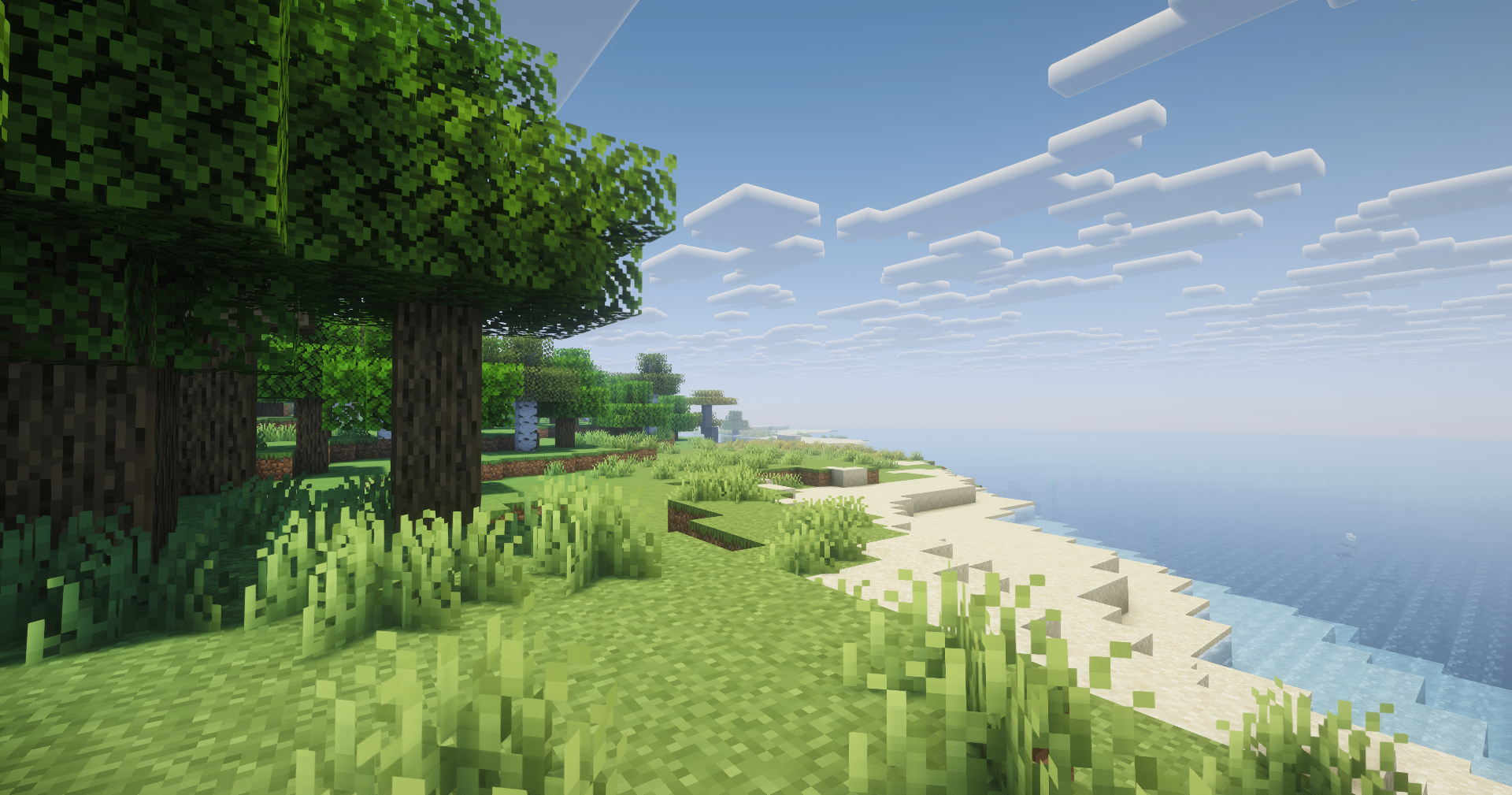
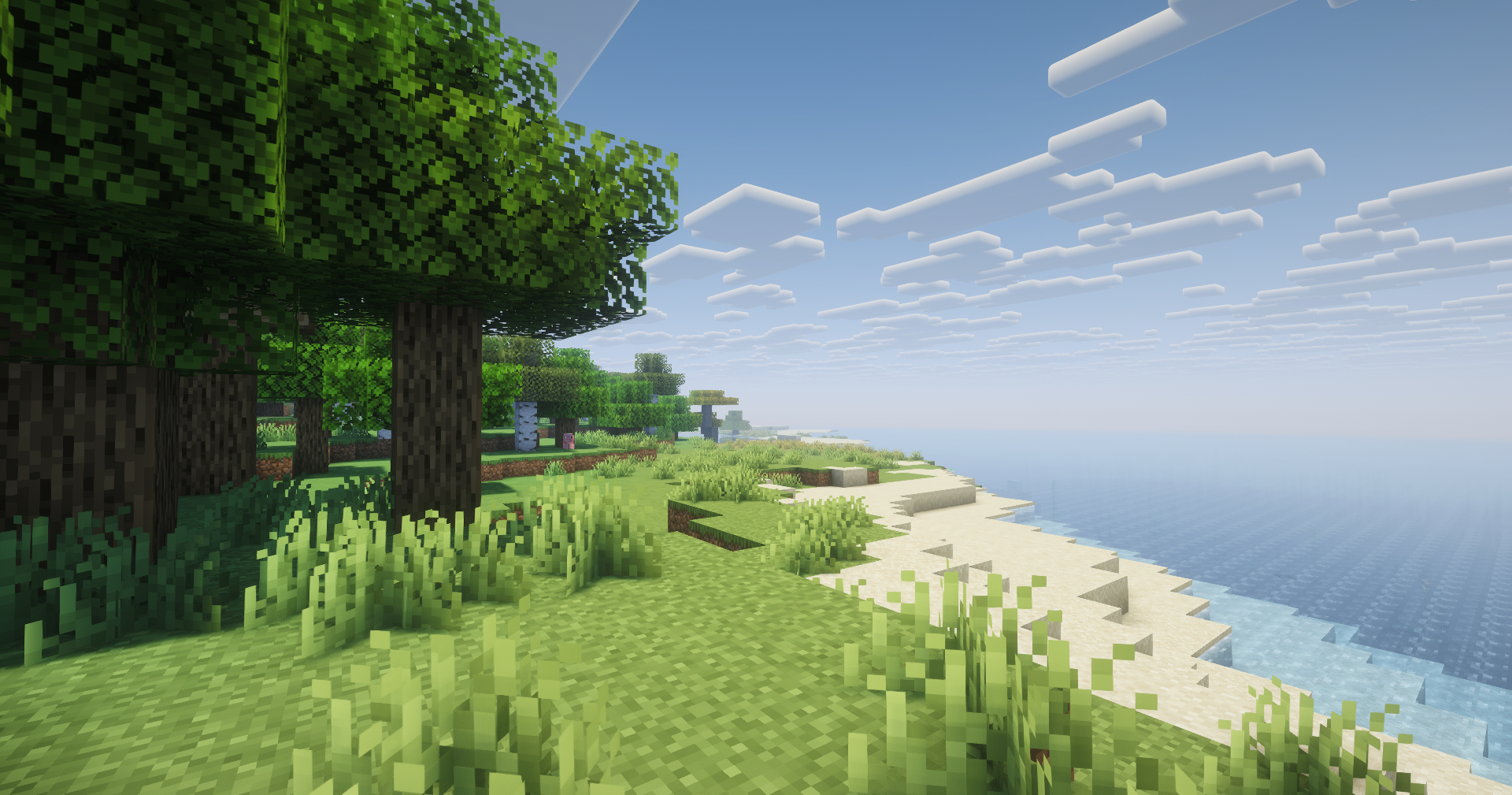
These views are closely matched, with a small camera offset and different moving clouds. They show a working shader scene; they do not establish identical rendering or a performance gain. We did not measure FPS.
The exact setup
Minecraft 1.20.1 · Forge 47.4.28
Minecraft 1.21.1 · NeoForge 21.1.266
Both profiles used Complementary Reimagined r5.9.3 ↗, manually selected Medium, render distance 12 chunks, simulation distance 8 chunks and FOV 70. Scene captures are 1920 × 1009 pixels. Hardware: NVIDIA GeForce RTX 3070 Ti, Intel Core i5-11400 and 32 GB RAM.
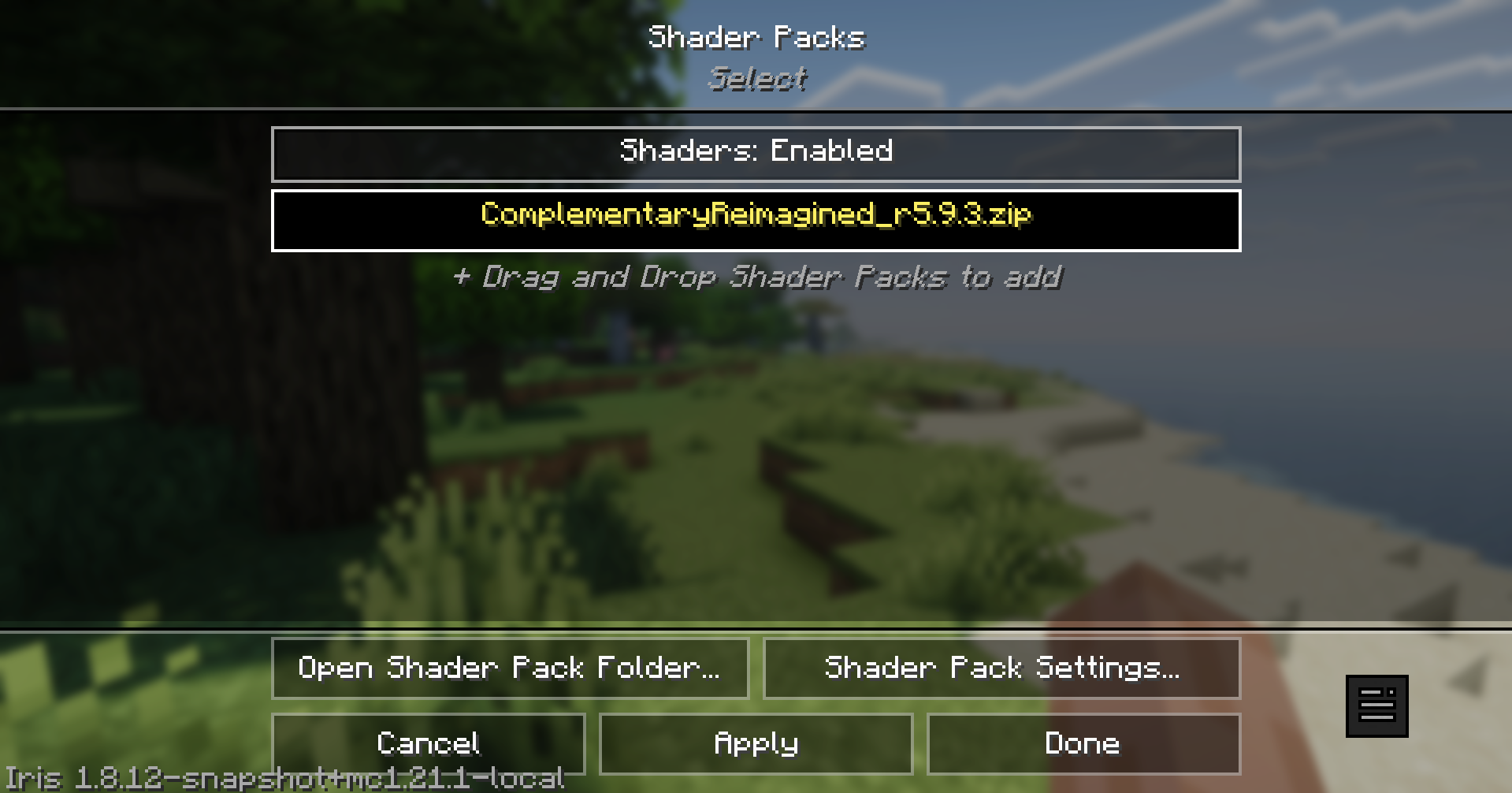
Versions above identify the prepared import profiles and their linked downloads. The Iris menu displays 1.8.12-snapshot+mc1.21.1-local; its screenshot is preserved below. Screenshots, world transfer, settings and restart confirmation come from the tester. Download versions and dependency requirements were checked against Modrinth metadata.
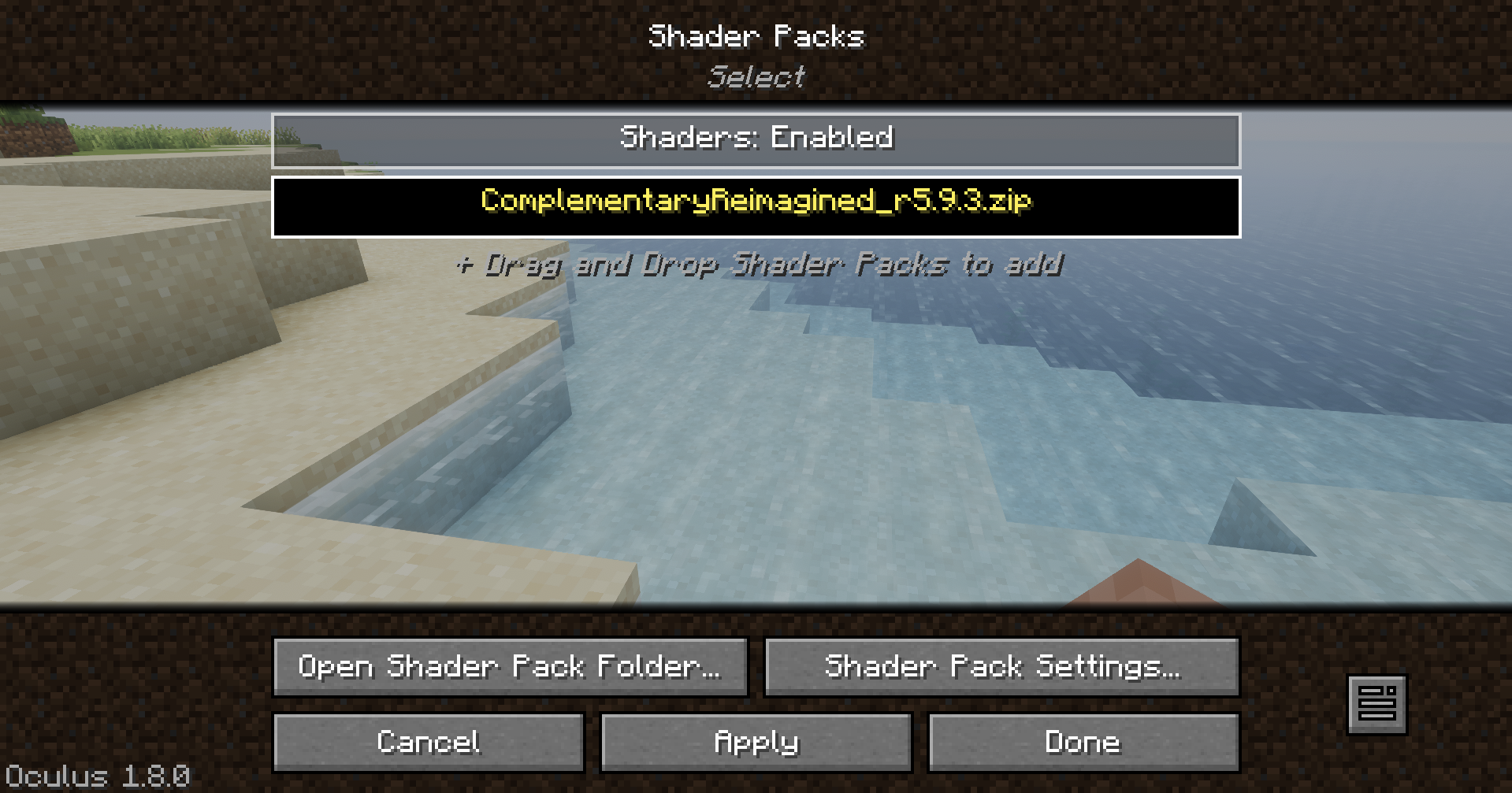
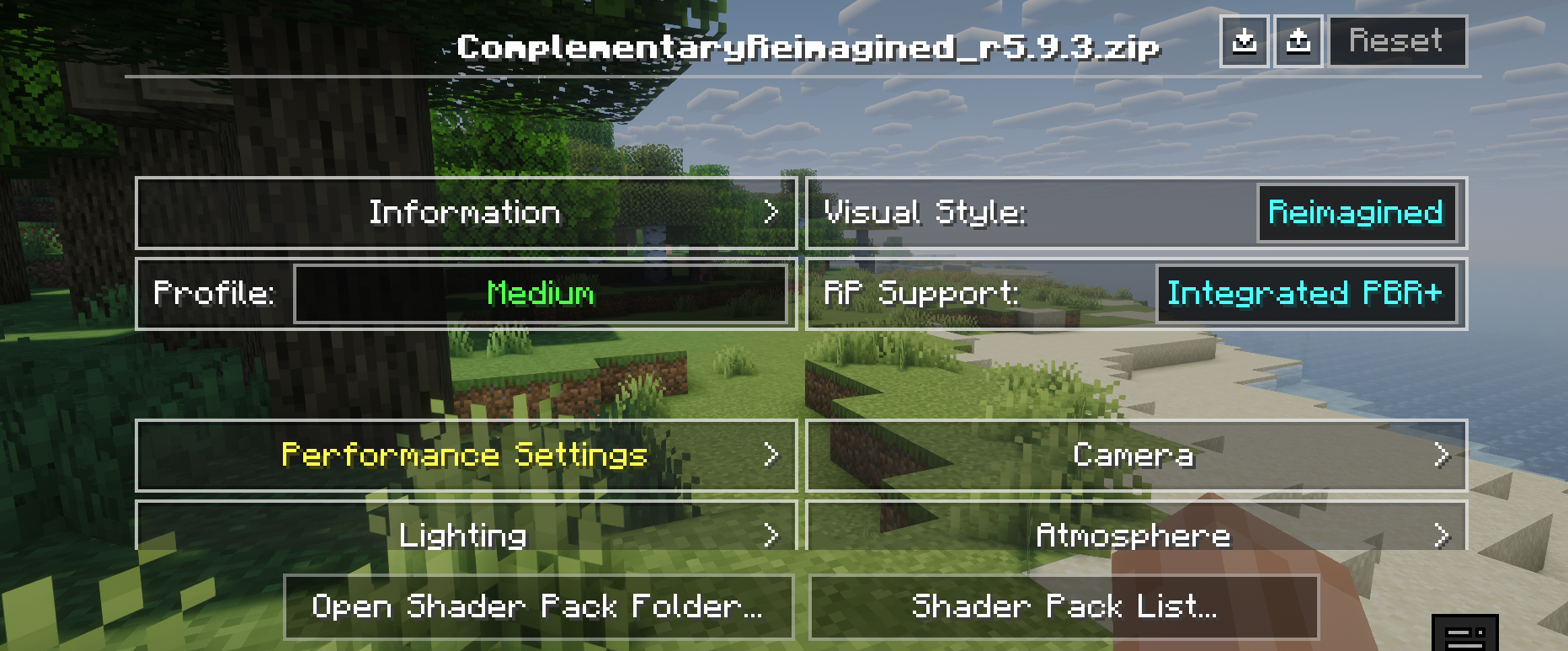
See the shader selection and Medium settings in both profiles
Both selectors show Shaders: Enabled and the same r5.9.3 ZIP. Both settings screens show Profile: Medium.
Before · Oculus
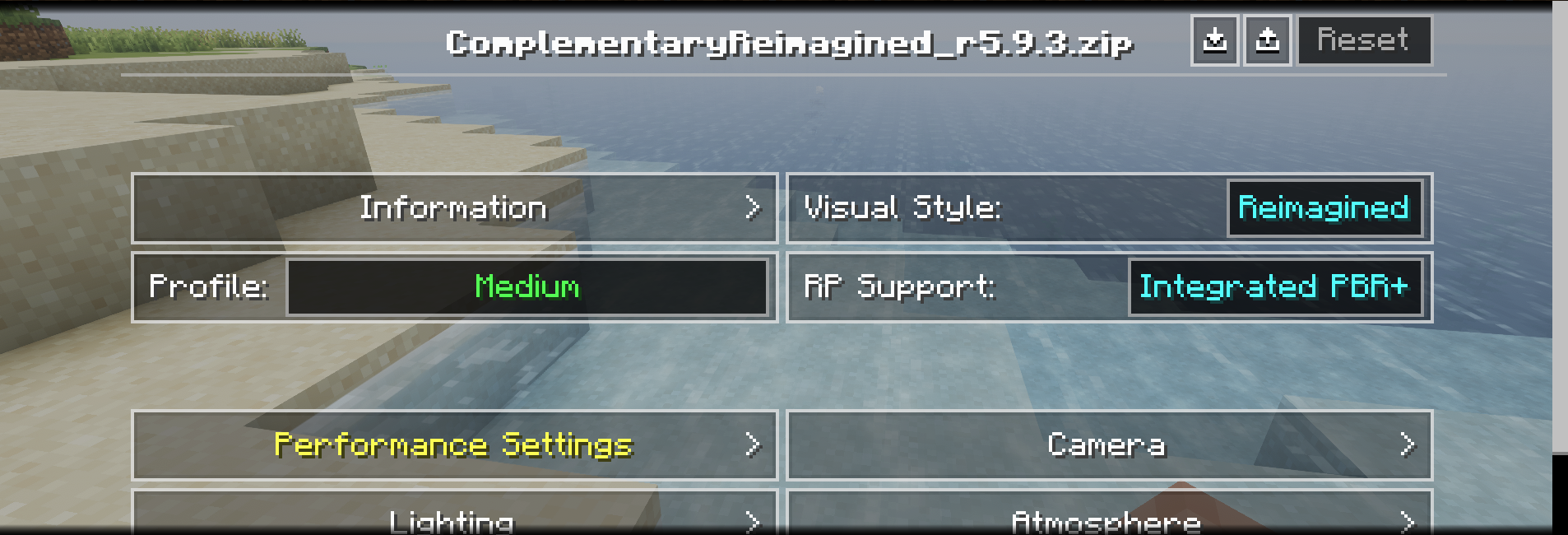
After · Iris
How to repeat this move
- Keep the original instance and world. Close Minecraft, back up the 1.20.1 save and create a separate NeoForge 1.21.1 instance. Upgrade a copy of the save; never open that upgraded copy in the older game.
- Install the matching Iris/Sodium pair. For the specific 1.21.1 NeoForge files above, Iris declares Sodium 0.6.13 as a required dependency. Keep Oculus and Embeddium in the old instance. Check every other mod separately before changing loaders.
- Open the copied world without shaders first. Check that the expected terrain is present. This test used a world without added content mods; it does not validate transferring modded blocks, items or inventories.
- Add the same shader ZIP. In Options → Video Settings → Shader Packs, use Open Shader Pack Folder and copy the ZIP without extracting it. Select the pack, enable shaders and apply the change.
- Set the profile again. Open Shader Pack Settings and select Medium. Match render distance, simulation distance and FOV separately. Matching a preset does not prove that every individual setting carried over from Oculus.
- Check your own scenes and restart. Look at water, foliage and shadows, then save, quit fully and reopen the world. If something looks wrong, disable shaders first to separate shader rendering from problems with the world or other mods.
What this test leaves open
One shader, one GPU and a small test world do not cover a full modpack, other shader packs, resource packs or multiplayer. Minecraft and the loader changed together, so this is a migration example rather than a controlled Oculus-versus-Iris benchmark. Minecraft 26.3 was not tested in this run; the version table below reports published build metadata separately.
Working through the rest of your renderer setup? See Embeddium alternatives, Rubidium's role in a pack and Sodium's version status.
What to do depends on your pack
- NeoForge, moving to 1.21 or later: Switch to Iris using the steps below.
- Forge, moving past 1.20.1: Iris has no Forge builds, so shaders mean moving the pack to NeoForge or Fabric. Check the rest of your mods before you commit.
- Forge, staying on 1.20.1: Keep Oculus. Nothing needs to change.
Switching to Iris
- Write down your shader settings. We haven't confirmed that they carry over.
- Remove Oculus and Embeddium. Oculus runs on Embeddium; Iris requires Sodium instead.
- Install Iris and Sodium for your Minecraft version and loader.
- Add your shader packs. Go to Options > Video Settings > Shader Packs, open the shader pack folder, and put your packs there.
- Set them up again under Shader Pack Settings. To check whether a problem comes from the shader, press K to turn shaders off.
What can go wrong
- Some shader packs don't work. Iris lists Chronos 4.x, and Continuum 2.1, RT and other Focal Engine shaders as not working. SEUS PTGI HRR 3 has problems with motion blur on.
- Some resource packs won't work. Packs that use custom core shaders aren't supported, including the custom armor shaders used on many servers.
- Some mods conflict. Botania's custom shaders conflict with shader packs, and Immersive Portals' underwater mirrors aren't visible from above water.
- macOS support is limited, because of Apple's graphics drivers.
- Crash after installing? The Iris FAQ points first to outdated Sodium addons and unsupported shader packs.
Sources for this guide (checked 2026-11-01)
- Oculus on Modrinth ↗project
- Iris Shaders on Modrinth ↗project
- Iris FAQ ↗documentation
- Iris: shader packs known not to work ↗documentation
- Iris: known limitations ↗documentation
- Iris: incompatible mods ↗documentation

Iris Shaders
Loader alternativeVerifiedVerified 2026-10-09
Oculus describes itself as an unofficial fork of Iris for Forge and NeoForge. Iris now has its own NeoForge builds.
Covers
- shader-pack loading
- compatibility with many OptiFine shader packs
- modern shader rendering pipeline
Doesn't cover
- Forge builds: Iris has none
Status by version
| Minecraft | Fabric | NeoForge | Forge |
|---|---|---|---|
| 26.3 | Ready1.11.7+26.3-fabricsince Sep 15, 2026 | Ready1.11.7+26.3-neoforgesince Sep 30, 2026 | — |
| 26.2 | Ready1.11.4+26.2-fabricsince Jun 16, 2026 | Ready1.11.4+26.2-neoforgesince Jul 8, 2026 | — |
| 1.21.1 | Ready1.8.14-beta.1+1.21.1-fabricsince Jul 1, 2024 | Ready1.8.14-beta.1+1.21.1-neoforgesince Aug 22, 2024 | — |
| 1.20.1 | Ready1.7.6+1.20.1since Jun 7, 2023 | — | Available on Fabric, Quilt |
Sources
- Oculus on Modrinth ↗project
- Iris Shaders on Modrinth ↗project
Version statuses from the daily snapshot of Nov 25, 2026.
Have Oculus in your pack?
Check the whole pack against Minecraft 26.3. Modshift flags every blocker and matches it with replacements like these.